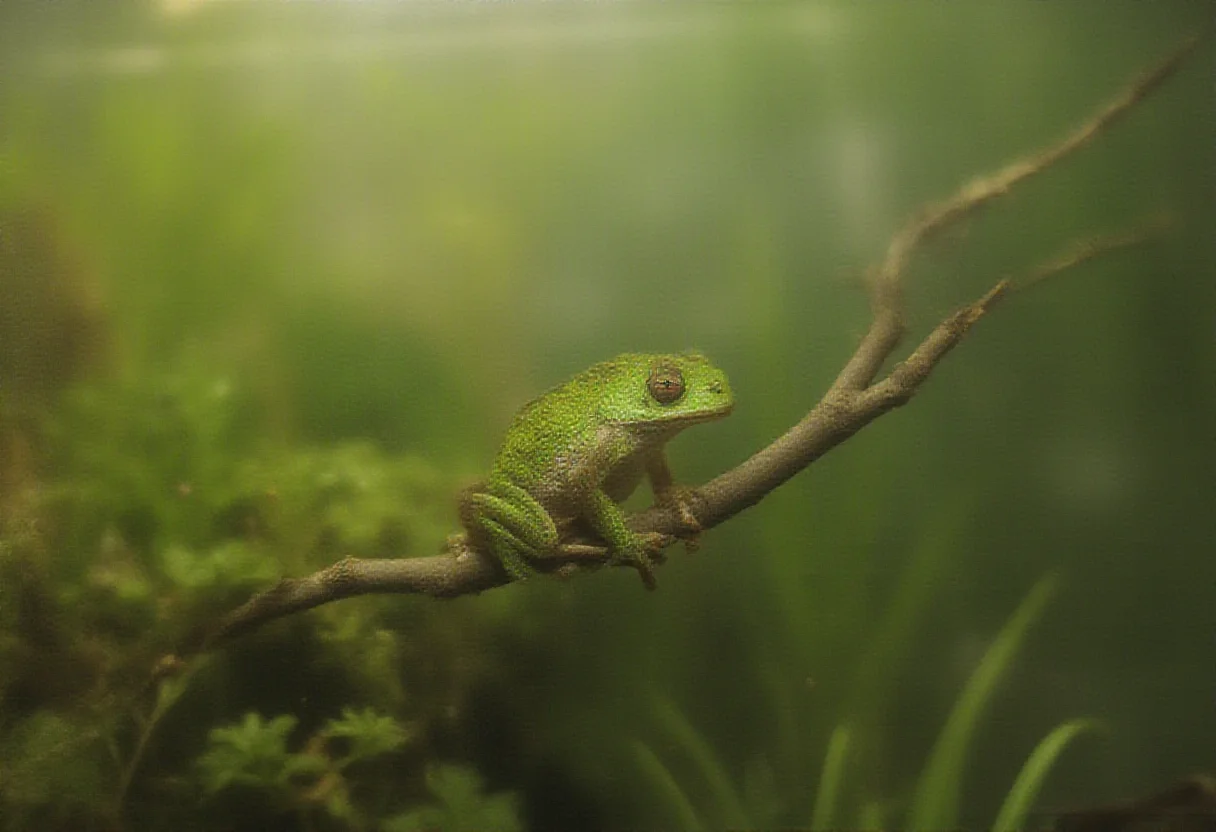
Best Power Strip for a Terrarium: How to Choose Safely
This post contains affiliate links. As an Amazon Associate I earn from qualifying purchases. Prices and availability are shown by Amazon and can change.
The best power strip for a terrarium is a safety-listed strip with built-in overload protection, individual switches and enough spacing for bulky plugs. Add up the wattage of everything you connect, stay under the strip rating, never chain strips together and keep it mounted above the water, away from splashes. Control heaters with a proper thermostat, not just a switch.
A terrarium can need lights, a heater, a pump and a mister. That is a lot of plugs near water and animals that cannot escape a fault.
This guide explains what to check on a power strip, how to add up your load and how to set it up safely.
How this was made: prepared with AI assistance and checked against the sources listed at the end. Images are AI-generated illustrations, not photographs of real animals or products.
Key Takeaways
- Choose a strip listed by a recognised testing lab, with overload protection.
- Add up wattage and stay within the strip rating, with margin.
- Never plug one strip into another or into an extension cord.
- Mount it above and away from water and form drip loops in the cords.
- A surge protector alone does not guard against overload.
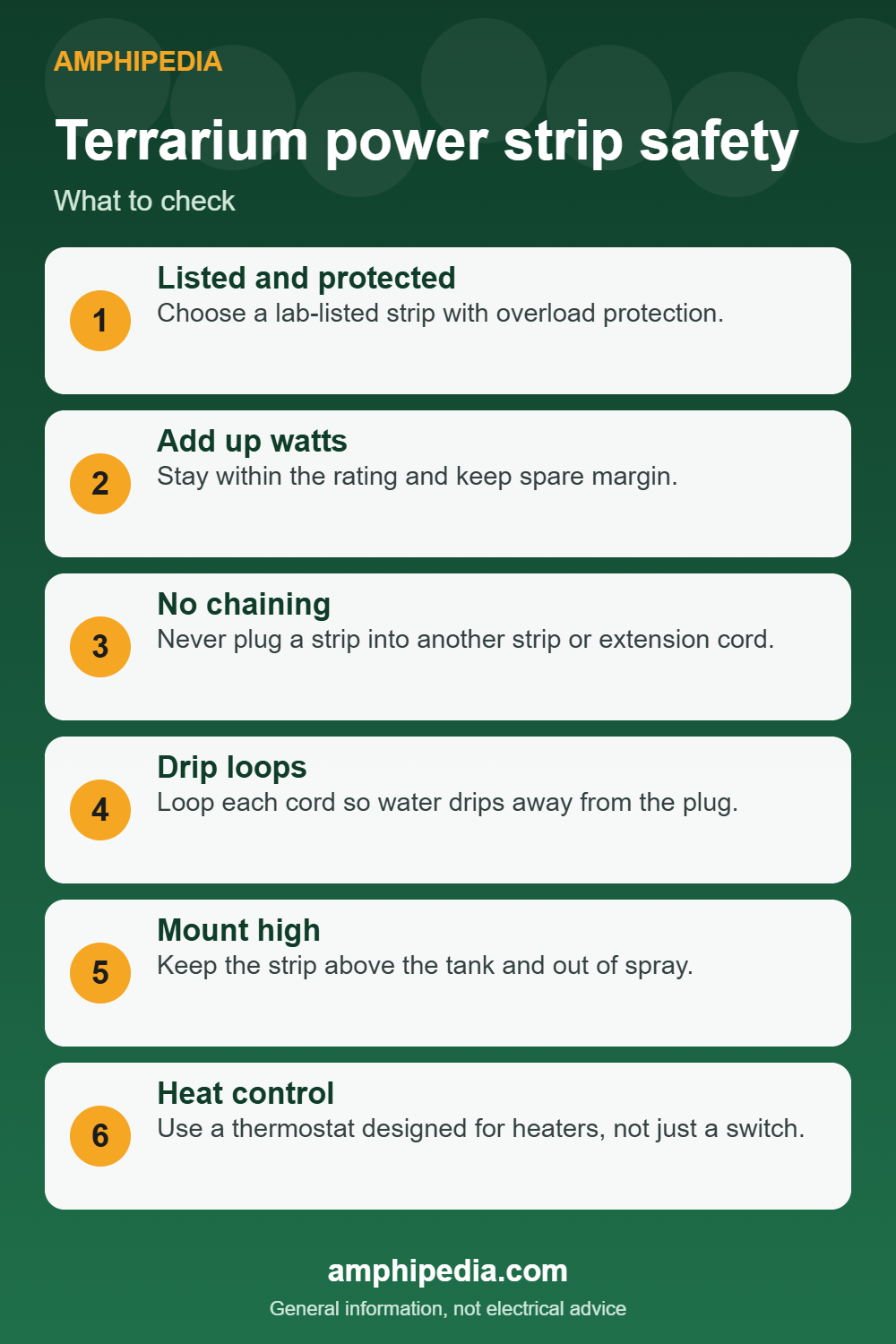
Pin this infographicShare on Facebook
Power strips to compare for a terrarium
These are general household power strips, not terrarium products. Check the rating against your total load and keep strips above and away from water.
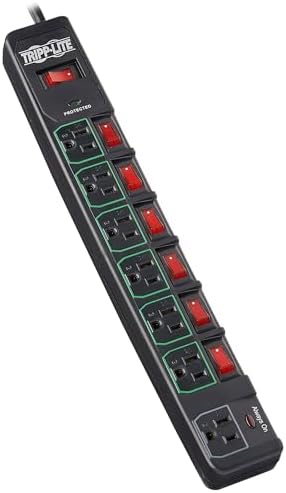
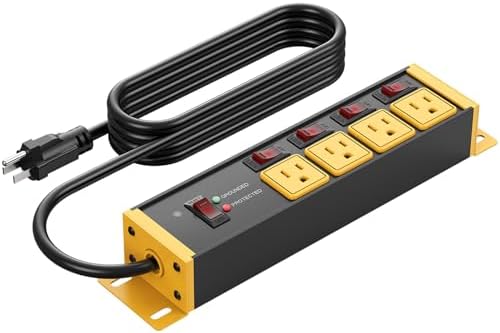


Product titles, prices and ratings are provided by Amazon and are accurate only at the time they are displayed.
Why the strip matters in a terrarium
Most amphibian tanks are damp. Sprayed water, condensation and a leaking dish all raise the risk where cords and sockets meet.
A damaged or overloaded strip can overheat. Amphibians cannot leave their enclosure if that happens, so prevention matters more than reaction.
A power strip is not a heat controller. It only shares one wall outlet between several devices.

What to look for
These are the points worth checking before you buy, whatever the brand.
- Certification from UL or another nationally recognised testing laboratory. A university fire-safety policy requires it and bans unlisted strips.
- Built-in overcurrent protection, such as a resettable breaker.
- Individual switches, so you can turn off one device without unplugging it.
- A rating that covers your total load with margin.
- Enough space between outlets for bulky plugs and adapters.
- A cord long enough to reach the wall without an extension cord.
- Mounting holes, so you can fix it above floor and tank level.
- A surge protector is a bonus, but not a substitute for overload protection.
How to add up your load
Check the label of each device for watts, or for volts and amps. Add the numbers together.
The Cal Poly fire-safety policy describes strips meant for devices that keep the total draw at or below 15 amps. A 15-amp strip on a 120-volt supply allows about 1,800 watts, but it is wise to stay well under that.
The Tapo smart plug FAQ suggests keeping total load to 80 percent or less of the maximum rated power for continuous use. The same margin is sensible for a strip that runs all day.
| Device | What to check on the label | Notes |
|---|---|---|
| Heat lamp or ceramic emitter | Watts | Use a thermostat designed for heaters |
| Heat mat | Watts | Control with a thermostat |
| Pump | Watts | Usually low draw |
| UVB or LED light | Watts | Low draw compared with heaters |
| Fogger or mister | Watts | Check the maker rating |
Rules for heaters and daisy-chaining
The Cal Poly policy bans connecting two or more power strips together and plugging a strip into an extension cord. It also prohibits strips for heat-producing appliances such as portable heaters.
Terrarium heat sources are far smaller than a space heater, but the lesson stands: do not push a strip near its limit with heaters. Exo Terra thermostat instructions say a thermostat controls heating devices up to 300 watts and that exceeding this is misuse.
For heat, plug the heater into a thermostat made for it, and plug that into a wall outlet where you can. If you must use a strip, read the heater manual and keep the load well under the strip rating.
Water and cord safety
Exo Terra thermostat instructions say to arrange a drip loop so water cannot reach the plug or socket. If a plug or socket gets wet, they advise switching off at the fuse or circuit breaker first instead of unplugging the cord.
Never use a damaged cord or plug, and never cut a cord. Use an extension cord only if it is watertight, dust-proof and properly rated, as the same instructions state.
- Mount the strip higher than the tank and away from spray.
- Form a downward loop in each cord so drips fall away from the plug.
- Keep cords off the floor and out of reach of pets and children.
- Label each switch so everyone knows which device it controls.
- Unplug before cleaning or moving equipment.
- Replace strips that smell hot, look scorched or have loose plugs.

Mounting and layout
Fix the strip to a wall or the stand, not the tank lid. Leave space around it for air, and keep it clear of dust and spray.
Group lights on one timer and heaters on another, so a single fault does not switch everything off. Our smart plug guide explains one way to add schedules.
A monthly electrical check
Set a reminder once a month. A few minutes of checking catches most problems early.
- Switch off and unplug the strip, then wipe away dust with a dry cloth.
- Look for scorch marks, melted plastic, cracks or bent prongs.
- Feel plugs after the devices have been running. Unusual warmth is a warning sign.
- Test that each switch and the reset button work.
- Confirm the drip loops are still in place after cleaning.
- Replace the strip if anything looks damaged. Do not repair it yourself.
How many outlets do you need?
List every device first: light, heater or thermostat, pump, mister and any fan. Add two spare outlets for changes later, but do not treat spare outlets as spare capacity.
Wide plugs and bulky adapters can block neighbouring sockets. Choose a strip with generous spacing so you do not need extra adapters.
Common mistakes
These mistakes show up in many set-ups.
- Buying on outlet count alone and ignoring the rating.
- Plugging one strip into another to add outlets.
- Using a surge protector as if it prevented overload.
- Leaving the strip on the floor under the tank.
- Running a heater without a thermostat.
- Ignoring warm plugs or buzzing sounds.
What safety agencies say about heaters and strips
Two sources in this guide speak directly to heat. The Electrical Safety Foundation International (ESFI) says not to use an extension cord or power strip with heaters or fans. The Cal Poly policy also prohibits strips for heat-producing appliances such as portable heaters.
Those rules were written for household appliances, which draw far more than a small terrarium heater. They still point to a safe habit: wherever you can, plug the heating device or its thermostat straight into a wall outlet. If you must use a strip, read the heater manual, keep the total load well under the strip rating and never leave the strip near the limit.
Use a GFCI outlet near water
The US Consumer Product Safety Commission (CPSC) says to use ground-fault circuit interrupters inside and outside the house, and to keep corded devices away from water. A terrarium room with misting, a water dish and condensation fits that description.
If your outlet is not GFCI protected, ask a qualified electrician about adding one. Do not modify the wiring yourself.
Route and inspect cords properly
Short rules from ESFI and the CPSC make cord handling simple.
- Inspect each cord before use for cracked or frayed sockets, loose or bare wires and loose connections.
- Replace worn, old or damaged cords instead of taping them.
- Never cut off the ground pin to make a plug fit, and never force a three-prong plug into a two-slot outlet.
- Do not nail or staple a cord to a wall or baseboard.
- Do not cover a cord. ESFI says heat cannot escape from a covered cord, which creates a fire hazard.
- Do not run cords through walls, doorways, ceilings or floors.
Buy only equipment approved by an independent testing laboratory, as ESFI advises for cords.
A worked load calculation
Use sourced numbers to find your limit. A 15-amp strip on a 120-volt supply allows about 1,800 watts, as noted earlier. The Tapo FAQ suggests keeping continuous loads to 80 percent or less of the rating.
- Multiply 1,800 watts by 0.8 to get a practical ceiling of 1,440 watts.
- Add the watts printed on every device label.
- If the total is above 1,440, move something to another outlet.
- To check in amps, divide watts by volts. At 120 volts, 1,440 watts is 12 amps.
Most terrarium gear uses far less than that, but doing the sum once removes guesswork.
When the strip is a sign you need another outlet
ESFI says that relying heavily on cords suggests you need more outlets, and that cords should not serve as permanent wiring. A terrarium rack with many devices can reach that point quickly.
If you keep adding gear to one strip, step back. Ask a qualified electrician whether another outlet can be installed near the tank. A new outlet costs more than a strip, but it removes the risk of overloading one outlet with lights, pumps and heaters together. Until then, spread devices across separate wall outlets and keep each strip below its practical ceiling.
Frequently Asked Questions
Can I plug a heat lamp into a power strip?
Check first. ESFI advises against power strips with heaters, and Cal Poly bans them for heat-producing appliances. Wall outlets are better for heating devices, and every heat source should run through a thermostat.
Is a surge protector enough?
No. Overload protection is a separate feature, as the Cal Poly policy notes.
Can I chain two strips?
No. Fire-safety policies ban it, because it can overload the outlet.
Where should the strip go?
Above the tank, away from spray, and fixed so it cannot fall.
What is a drip loop?
A downward curve in the cord so water drips off instead of running to the plug.
Should the strip have a switch?
Individual switches help, because you can cut one device without unplugging it.
Bottom Line
A safe terrarium strip is certified, protected against overload, mounted high and not overloaded. Add up your watts before you buy.
If an animal looks unwell after an electrical fault or heat problem, see an exotics vet. The ARAV directory can help.
Sources
- Cal Poly Facilities: Fire safety, power strips. Used for: Ratings, overload protection, daisy-chaining, listing
- Exo Terra Thermostat instructions (PT2457). Used for: 300 W limit, drip loop, wet plug advice
- Tapo FAQ: What loads can be connected to the plug. Used for: 80 percent continuous load guidance
- CDC: Reptiles and Amphibians. Used for: Salmonella and hygiene
- ESFI: Reaching to safety, use extension cords properly. Used for: Heaters and strips, cord inspection, grounding, covered cords
- US Consumer Product Safety Commission: Electrical safety (PDF). Used for: GFCI use, overloaded strips, damaged cords





2 Comments