Best Smart Plug for a Frog Terrarium: How to Choose Safely
This post contains affiliate links. As an Amazon Associate I earn from qualifying purchases. Prices and availability are shown by Amazon and can change.
The best smart plug for a frog terrarium is a certified plug rated well above the device you connect, with local schedules that keep running if Wi-Fi drops. Use it for lights, misters and pumps. A smart plug only switches power on and off, so control heaters with a proper thermostat and keep total load at 80 percent or less of the rating.
Smart plugs let you run lights and misters on a schedule and switch them from your phone. That sounds ideal for a frog tank.
They also add a point of failure. This guide shows what to check, what to automate and what to leave to a thermostat.
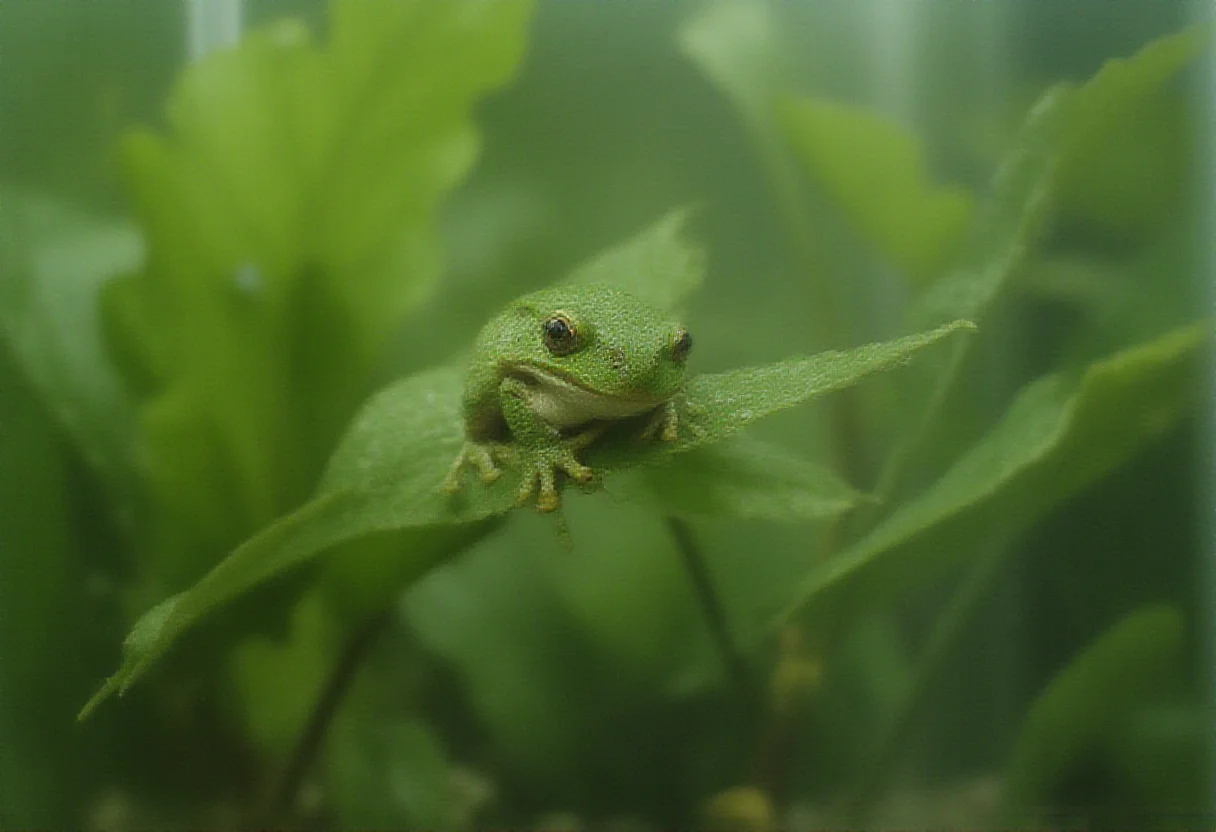
How this was made: prepared with AI assistance and checked against the sources listed at the end. Images are AI-generated illustrations, not photographs of real animals or products.
Key Takeaways
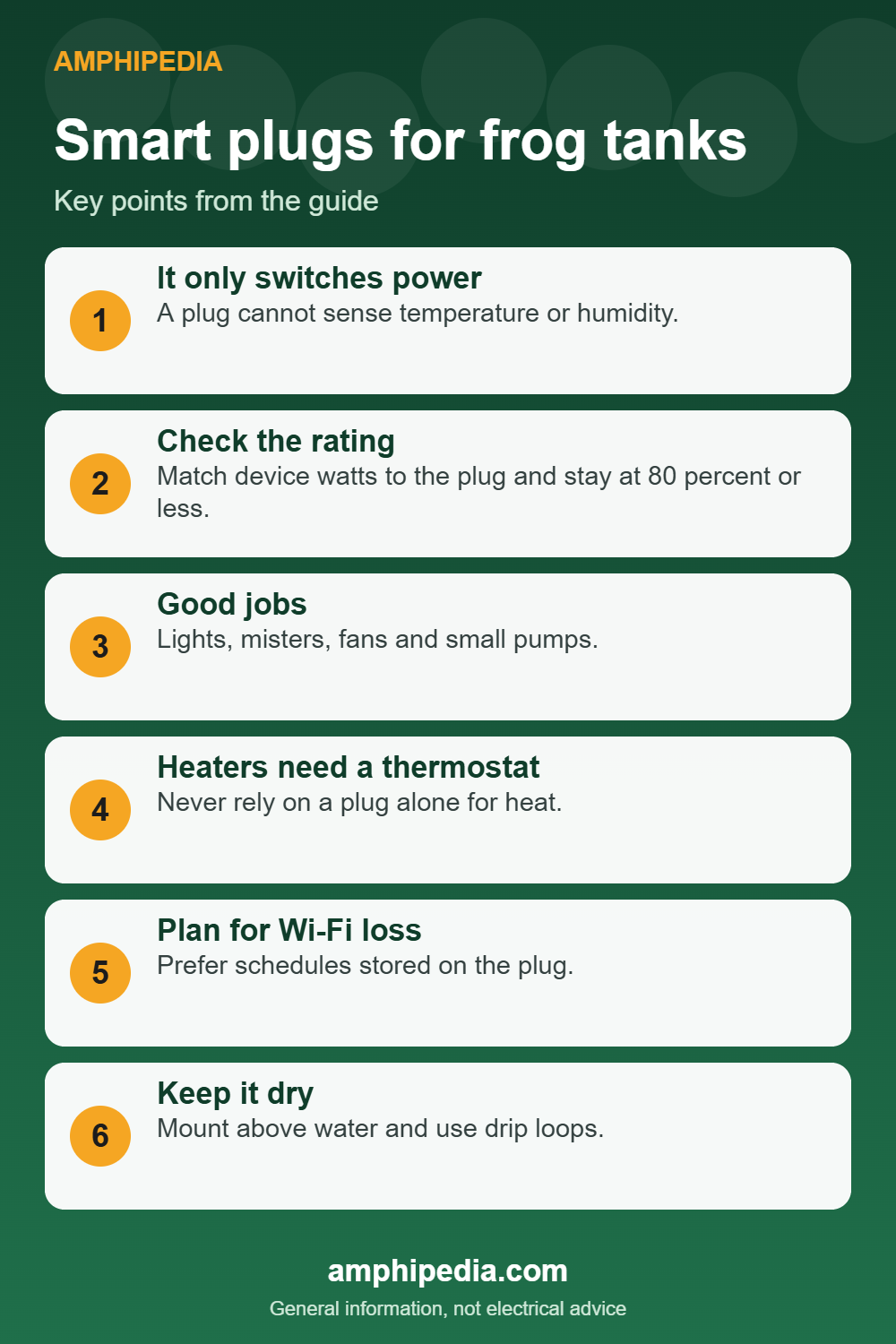
- A smart plug switches power. It does not measure temperature or humidity.
- Check the plug rating against the device label, and keep continuous load at 80 percent or less.
- Use schedules that are stored on the plug so a Wi-Fi outage does not change the routine.
- Keep heaters on a thermostat designed for them.
- Keep plugs above water and form drip loops in the cords.
Pin this infographicShare on Facebook
Smart plugs to compare for a terrarium
These are general household smart plugs, not terrarium products. Match the plug rating to the device label and keep heaters on a thermostat.


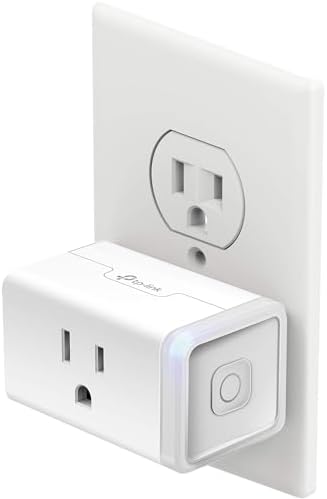
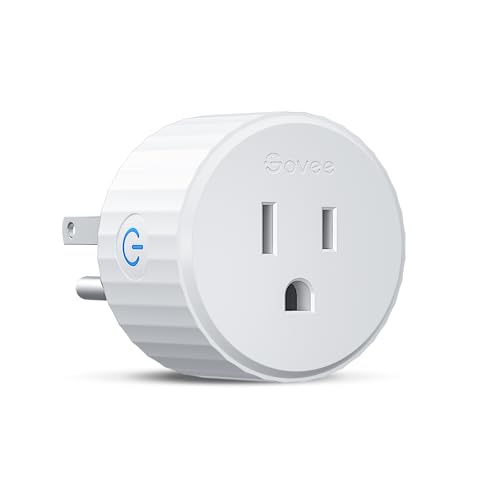


Product titles, prices and ratings are provided by Amazon and are accurate only at the time they are displayed.
What a smart plug can and cannot do
A smart plug sits between the wall outlet and a device. You can turn it on or off from an app, a voice assistant or a schedule.
It cannot sense the tank. If a heat lamp runs too long or the room gets hot, the plug will not know. Only a thermostat or a humidity controller reacts to the real conditions.
Frogs and other amphibians need stable conditions. The MSD Veterinary Manual says every enclosure should have a thermometer and a humidity gauge, so keep those whether or not you automate.
Good jobs for a smart plug
Use the plug for steady, low-risk tasks.
- Day and night lighting, so the tank follows a regular cycle. Petco care sheets suggest 10 to 12 hours of fluorescent light a day for small terrestrial frogs.
- A mister or fogger, with a schedule you can change from your phone.
- A small recirculating pump on a timed cycle.
- A small fan that helps ventilation, plugged straight into the smart plug (ESFI advises against power strips with fans).
- A remote off switch for a device you want to cut quickly while cleaning.
Jobs to avoid
Do not treat a smart plug as a safety device. Some tasks need dedicated controls.
- Running a heater without a thermostat.
- Switching a heater that is above the plug rating.
- Relying on a phone alert as your only protection for a fragile species.
- Plugging a power strip with many devices into one smart plug, which can push the load over the limit, as the Tapo FAQ warns.
Rating and load: the key check
Every plug lists a maximum current or wattage. Read your device label and compare it with the plug rating.
The Tapo FAQ describes the P100 EU model as mainly designed for resistive loads, with ratings that differ by load type. It says to check your own model because limits vary by region, and to keep continuous load at 80 percent or less of the maximum.
A small pump or light draws little. A heater draws far more, so the rating matters most there. The Cal Poly fire-safety policy treats heat-producing appliances as a special risk on strips.
| Load type | Rating check | Smart plug suitable? |
|---|---|---|
| LED or UVB light | Compare watts with the plug rating | Usually yes |
| Mister or fogger | Compare watts with the plug rating | Usually yes, if rated |
| Small pump | Compare watts with the plug rating | Usually yes |
| Heater or heat mat | Compare watts and use a thermostat | Only with a rated plug and a thermostat |
Features that matter
Some features matter more in a damp room than in a living room.
- Local schedules or timers stored on the plug, so a Wi-Fi outage does not change the routine.
- Power-on behaviour after an outage, so the device returns to a safe state.
- An energy monitor, if you want to see the real draw of a device.
- Certification from a recognised safety laboratory.
- A compact shape that does not block the neighbouring outlet.
- A reliable app that lets you set several schedules.
- An indoor rating that suits a humid room.
Wi-Fi failure and power cuts
Plan for the day the internet goes down. If the schedule lives only in the cloud, lights or misters may not follow it.
Ask yourself what happens if the plug stays on, or stays off, for a day. If the answer is a problem for your frog, add a second control, such as a mechanical timer or a thermostat.
Water and cord safety
Exo Terra thermostat instructions say to arrange a drip loop so water cannot reach the plug or socket, and to switch off at the fuse or breaker if a plug gets wet.
Mount the plug above and away from the tank. Never use a damaged plug or cord. Our power strip safety guide explains load planning for several devices.
How to set up a simple schedule
Start with one device so you can see how the plug behaves.
- Plug the smart plug into the wall and connect it to your app.
- Check the device label against the plug rating.
- Connect the light or mister, and form a drip loop in the cord.
- Create an on and off schedule that matches your species.
- Watch the tank for several days using a thermometer and hygrometer.
- Add a second plug only after the first works well.
Common mistakes
Smart plugs fail in predictable ways. Avoid these.
- Buying on price or voice-assistant support without checking the rating.
- Using one plug for several devices through a strip.
- Forgetting to test what happens after a power cut.
- Letting a heat lamp run on a schedule with no thermostat and no thermometer check.
- Placing the plug on the floor beneath the tank, where drips land.
- Setting the schedule once and never checking it after daylight saving changes.
- Ignoring a plug that feels hot, crackles or smells of plastic.
Related guides
If you want a single device that handles timing and heat, read about a timer thermostat combo.
Heat mats are covered in our heat mat guide, and fog automation in our fog control guide.
Resistive and motor loads: read the rating notes
The Tapo FAQ says its plug is mainly designed for resistive loads such as heaters, kettles and irons. It says motor-driven loads such as air conditioners and refrigerators are not suitable, because their high startup current can exceed the plug’s rating. For a motor-driven appliance, it advises checking the horsepower rating against the plug’s capacity.
Its example table is for the EU Tapo P100 at 230 V only, listing 70 W for a desk lamp, fan or water pump and 2,300 W for a heater. The page says documents and hardware versions vary by region, so check the specification page for your own model. Do not copy another model’s numbers.
Every link in the chain needs its own rating
Terrarium heat often runs through more than one device. If a plug feeds a thermostat that feeds a heater, each part has a limit. The Exo Terra PT2457 manual warns not to connect heating devices rated above 300 W to its thermostat, and treats overload damage as misuse.
So the lowest limit in the chain governs, and the Tapo 80 percent guide applies to the plug on top of that. On a 2,300 W plug, 80 percent would be 1,840 W, but a 300 W thermostat would limit the heater long before that. That arithmetic is ours, so check your own labels.
Power strips and extension cords
Several sources warn against strips with heat. A Cal Poly fire-safety policy says power strips must not be used with heat-producing appliances such as toasters, kettles and portable heaters. The Electrical Safety Foundation International (ESFI) adds that cords or strips should not be used with heaters or fans, because of overheating and fire risk.
- Cal Poly requires strips from a nationally recognized testing laboratory, with built-in overcurrent protection. It warns that not all surge protection strips have it.
- Cal Poly and ESFI both rule out daisy chaining, meaning plugging strips or cords into each other.
- ESFI says to inspect cords before each use for cracked or frayed sockets, loose or bare wires and loose connections.
- ESFI says to use cords rated for their location, indoor or outdoor.
- Exo Terra says any extension cord must be watertight, dustproof and rated for the appliance, and that a qualified installer should make the connection.
Cal Poly writes for offices, not terrariums. The principle carries over, but we cannot say which rule your local code requires.
What a lighting schedule should cover
Petco’s small terrestrial frog care sheet, which names mantella, tomato, dart and leopard frogs on its cover, recommends fluorescent light for 10 to 12 hours a day and low-level UVB. It also says frogs should have hiding places to escape the light as needed.
The same sheet gives 68 to 80 F for temperature and 70 to 90 percent humidity, with daily misting as needed. It does not describe a night setting. Set the plug schedule from the care sheet for your species, and do not copy these numbers if your species is not on the list.
Where the plug itself should sit
Exo Terra says to place its thermostat to one side of a wall socket so water cannot drip onto the plug, and to leave a drip loop hanging below the socket. It also says to use a flat, level, solid surface and to avoid freezing temperatures and direct sunlight.
Tapo gives similar guidance for its plug: keep it away from direct sunlight, high temperatures and enclosed spaces, and do not place heavy objects on it. Unplug by gripping the plug, not the cord, as the Exo Terra manual instructs.
A one-week trial before you rely on it
- Run only the lights on the plug for the first few days and log when they switch.
- Pull the router plug once during the day and see whether the schedule still runs.
- Cut mains power briefly and note what state the device returns to.
- Check the plug and cord carefully for warmth before you add any other device.
- Compare the tank thermometer and hygrometer readings with your notes each evening.
MSD says every enclosure should have a thermometer and a humidity gauge. The trial only works if you read them.
Frequently Asked Questions
Can a smart plug control a heater?
Only if the plug rating allows it, and a heater should still be controlled by a thermostat made for it.
Does a smart plug replace a timer?
It can do the same job. Choose one with local schedules so Wi-Fi problems do not break the routine.
Can I plug a power strip into a smart plug?
Avoid it. The Tapo FAQ lists power strips as a risk because the total load can exceed the limit.
Do smart plugs work in a humid room?
Keep them dry, above the tank and away from spray. Check the maker instructions.
What load limit should I use?
Stay at 80 percent or less of the rating for continuous use, per the Tapo FAQ.
Do I still need a thermometer?
Yes. MSD says each enclosure needs a thermometer and a humidity gauge.
Bottom Line
Use a smart plug for lights, misters and pumps, and keep heat on a thermostat. Check the rating, protect the cord and plan for a Wi-Fi outage.
If your frog looks unwell, see an exotics vet. The ARAV directory lists vets who treat amphibians.
Sources
- Tapo FAQ: What loads can be connected to the plug, accessed 12 November 2026. Used for: load types, ratings and 80 percent guidance
- Exo Terra Thermostat instructions (PT2457), accessed 12 November 2026. Used for: drip loop, wet plug and 300 W limit
- Cal Poly Facilities: Fire safety, power strips, accessed 12 November 2026. Used for: heat-producing appliances and overload
- MSD Veterinary Manual: Housing for Amphibians, accessed 12 November 2026. Used for: thermometer and humidity gauge advice
- Petco care sheet: small terrestrial frogs, accessed 12 November 2026. Used for: lighting hours
- CDC: Reptiles and Amphibians. Used for: Salmonella and hygiene
- Reaching to Safety: Use Extension Cords Properly, Electrical Safety Foundation International, accessed 12 November 2026. Used for: extension cord and power strip safety


4 Comments